


MistyPix: AI Image Generator
4.510.00 Reviews
App Specs
- Version
- 1.8.0
- Updated On
- License
- Free
- Downloads
- 500,000+
- Developer
- Vit Corp.
- Categories
- Photography
- Platform
- Android
Screenshots
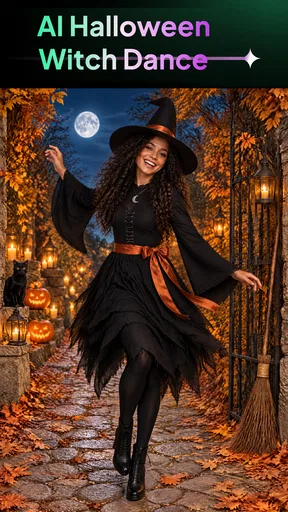
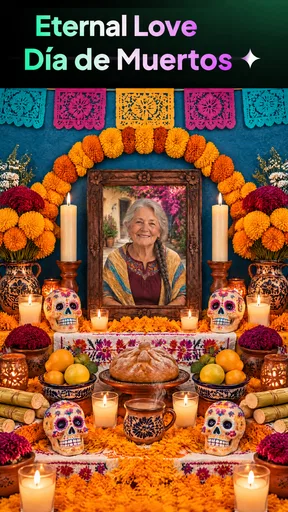
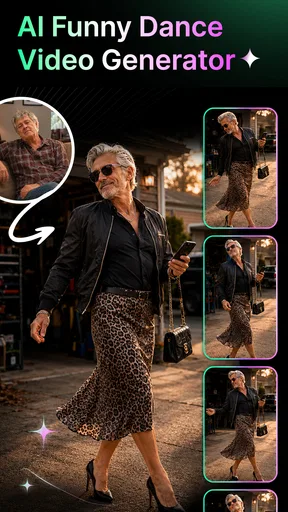
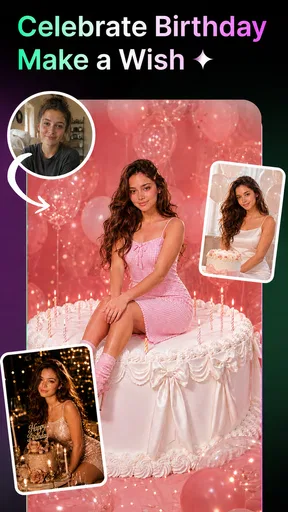
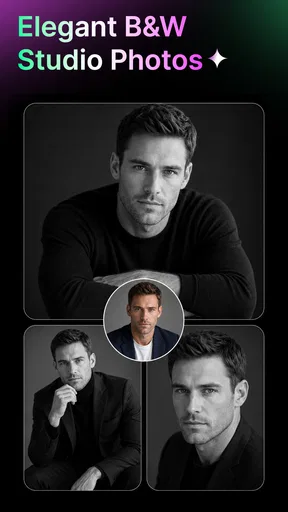
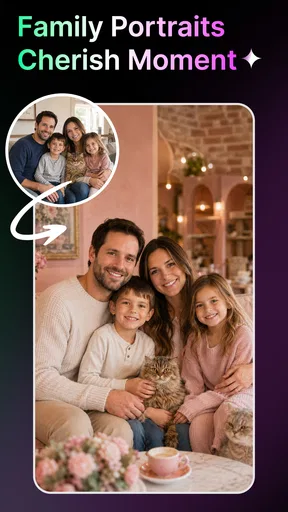
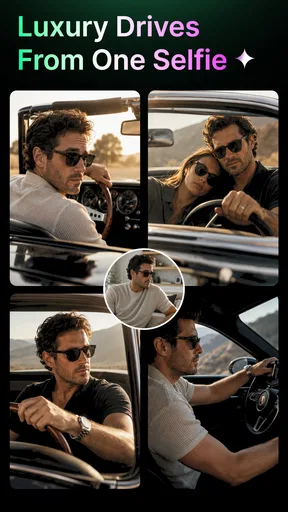
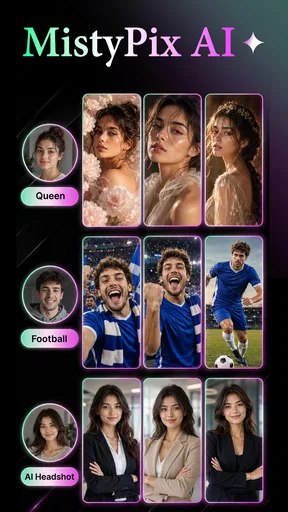
 Analysis by AppCompare
I’d treat MistyPix: AI Image Generator as a creative playground for people who want stylized pictures quickly, rather than as a private photo vault or a precision editing suite. Its appeal is the combination of AI-generated imagery and ready-made templates: instead of building an image from scratch, I can start with a visual direction and see whether the result fits a post, profile picture, or playful message. That convenience is useful, but it also makes it worth slowing down before choosing what to upload or share.
Creative convenience, with a little care
MistyPix is a free photography app from Vit Corp., and its focus is clearly on making images and videos with an AI-assisted, trend-oriented feel. It has a 4.5 average from around 1.3K ratings and more than 500K installs, which suggests that plenty of people are willing to try it. I would read that as a reason to explore it, not as a guarantee that every generated result will look polished or suit every purpose.
The version available is 1.8.0, and the app is rated for Everyone. It is aimed at a broad audience, but the age label should not be confused with a promise that every generated image or template is appropriate for every context. I’d still preview results before sharing them, especially if a picture includes someone else or is intended for a public profile.
One practical distinction matters: a tool that transforms a photo can involve more personal material than a conventional filter app. Before selecting a face photo, a family picture, or an image with identifying details, I’d consider whether I’m comfortable using that image in an AI workflow. That is a sensible habit for any image-generation app, not a claim about MistyPix’s handling of data.
Start with an image you’re comfortable experimenting with
For a first test, I’d choose a casual photo that I would not mind replacing or discarding, rather than the only copy of an important image. That makes it easier to judge the style without feeling invested in the result. It also helps separate the app’s creative output from the value of the original photograph: an AI version may be entertaining, but it is not necessarily a faithful edit.
A useful everyday scenario is making a themed image for a group chat or a temporary social post. I might try a template, compare the generated variation with the original, then keep the version that communicates the mood I wanted. If the result changes a face or other important detail in a way that feels wrong, I’d switch to a conventional photo editor instead of trying to force the AI result into a realistic role.
Look for choices before committing
When I use any creative app, I pay attention to the decisions it presents at the moment they matter: what image I select, whether I proceed with a generation, and whether I choose to share the finished result. Those are the points where I can exercise control without making assumptions about behind-the-scenes settings. I would not treat a simple creation workflow as proof of a particular storage, deletion, or privacy policy.
Worth Reading Before You Choose

EA SPORTS FC Mobile 26 Is a Bigger Football Game, but It Takes Time

Flipboard Shows What News Apps Must Do Beyond the Feed

Switching to Android Auto Means Rethinking Your Driving Routine

Google Calendar Makes a Crowded Week Easier to Manage

Ludo King Makes the Most of the Minutes Between Plans

Baby Panda World Brings Quick Play to Modern Phones, but Its Game Library Feels Busy
If MistyPix presents permissions or account choices during setup or use, I’d review them in context and grant only what makes sense for the task. For example, selecting a specific image through an available picker can be preferable to giving broad access when that choice is offered. The important point is to respond to the controls actually shown on the device, rather than assuming the app needs every possible permission just because it works with pictures.
I also recommend checking the result before using any sharing option. That small pause gives me a chance to catch an unexpected face treatment, a template that doesn’t fit the audience, or details in the source image I didn’t mean to circulate. It is a more useful safeguard than assuming that a generated output is automatically safe to post simply because it looks artificial.
Templates are helpful, but they narrow the creative path
The template-led approach is one of MistyPix’s clearest strengths. It can reduce the blank-page problem: I don’t need to decide every visual element before I begin. For a quick birthday greeting, a themed avatar, or a lighthearted variation on a portrait, that kind of starting point can be more approachable than opening a full editor with dozens of tools.
The trade-off is that templates naturally steer the result toward a recognizable look. If I want subtle retouching, exact color grading, or careful control over individual details, a traditional editor is likely a better fit. Template convenience is most valuable when I’m open to interpretation; it is less useful when I have a precise visual brief and need predictable, repeatable edits.
One workflow I’d use is to decide the destination first. A small image for a chat can tolerate a bold, playful treatment, while a professional profile photo calls for a more restrained result. That distinction helps me avoid spending time trying to make an expressive template behave like a neutral portrait tool. It also keeps the app’s strengths in perspective: quick creative variation is a different job from reliable image correction.
Think through the image before sharing it
AI imagery can alter more than the background or mood. Depending on the transformation, the person or object may no longer look exactly as it did in the source. I’d be cautious about using generated versions for anything where accuracy matters, such as a formal identification image, a product detail that must remain true, or a record of an event. For those jobs, an ordinary camera image or a restrained editor is the safer choice.
There is also a social consideration. If I’m making an image of a friend, I’d ask whether they are comfortable with that use before posting it publicly. A result that seems funny in a private conversation can feel different when shared more widely, especially if the transformation changes someone’s appearance. This is a general, practical boundary for AI photo tools and doesn’t depend on any particular app setting.
For users who are especially cautious about personal images, the simplest approach is to avoid uploading sensitive photographs until they have reviewed the app’s visible privacy information and choices. That includes images with children, home details, documents, or location clues. I would not use a picture with information I would be uneasy placing into an online creative service unless I had first made an informed decision about the app’s applicable terms and controls.
Costs and expectations to check early
The app is free to download, but it includes in-app purchases ranging from $4.99 to $14.99 per item. I’d check what an offered purchase covers before confirming it, particularly if I’m only testing whether the templates suit my taste. A free starting point makes experimentation accessible, while the purchase range is a reminder to distinguish optional extras from the basic idea of trying the app.
I would also set expectations around generation as a creative process, not a guaranteed one-click route to a perfect image. AI results can be inconsistent in ways that matter: a tiny facial detail, a hand, or an object can look different from what I intended. Rather than repeatedly trying to rescue a weak result, I’d change the source photo or choose a simpler creative direction. That is often faster and produces a more coherent image.
People who need extensive manual controls, dependable batch editing, or a transparent professional workflow may find a conventional photography editor more comfortable. MistyPix is better suited to someone who enjoys trying visual variations and can accept that the output may call for another attempt—or may not be worth keeping at all.
Who I’d recommend it to
I’d recommend MistyPix to casual creators who want a low-friction way to experiment with AI-styled pictures and short-form visual ideas. It makes the most sense when the goal is playful, the source image is suitable for experimentation, and a slightly surprising result is part of the fun. Its photography focus also makes it easy to understand what kind of creative task it is meant to support.
I’d suggest skipping it if you need exact, natural-looking corrections, if you’re uncomfortable putting personal photos into an AI workflow, or if you want fine control over every edit. In those cases, a standard photo editor—or simply keeping the original photograph—will usually give you more predictable results. The right choice depends less on the novelty of AI and more on how much control and certainty your particular image needs.
A practical way to decide whether it fits
For a small, low-stakes task, I’d make the decision in stages: choose an image that is already backed up, pick a template that matches the intended audience, and inspect the output at full size before saving or sharing it. This avoids treating the first preview as finished work. It also makes it easier to tell whether a flaw came from an unsuitable source image or simply from a style that does not fit what I had in mind.
For example, if I wanted a playful birthday image during a lunch break, I’d use a casual portrait rather than a photo containing several people or a busy background. A simpler source gives the transformation less competing detail to reinterpret, and the limited audience of a private message makes an exaggerated style less risky than using it as a work profile image. If the first attempt misses the mood, I’d change the template or source rather than repeatedly generating near-identical versions.
That workflow is also a useful way to judge value before spending money. Since optional purchases are available, I’d first see whether the free experience gives me an output I genuinely want to keep, then read the purchase prompt carefully before deciding. I wouldn’t assume that paying will make a result more accurate or give me more control; I’d base that choice on what the specific offer says and whether it solves a real need.
Where it sits among photo apps
Compared with a familiar photo editor, MistyPix appears oriented toward choosing a look and letting AI reinterpret an image, rather than making a series of exact manual adjustments. That is a meaningful difference, not simply a simpler version of the same workflow. If I want to straighten a horizon, adjust exposure, or preserve a product’s true appearance, the ordinary editor gives me a clearer path. If I want a stylized variation and can accept some surprise, the template-first approach is more inviting.
It also differs from taking a new picture with a camera app: the aim here is not just to capture what is in front of me, but to turn an image into something more expressive. That can be useful for social posts, avatars, or casual creative experiments, but it is a poor substitute for an original photo when authenticity matters. I’d keep both kinds of tools available rather than expecting one app to handle every photographic job.
The main question I’d ask before installing is whether I enjoy guided experimentation more than hands-on editing. Someone who likes comparing distinct visual treatments may find the template structure saves time and helps them get started. Someone who wants sliders, layers, precise masks, or a predictable repeatable result is likely to feel constrained and should choose a dedicated editor instead.
What I would check before using a personal photo
Trust, for me, comes from choices I can actually see and understand—not from guessing what happens after an image is selected. I’d review any permission request as it appears, check the app’s privacy information before using a sensitive picture, and notice whether the workflow offers account or sharing choices that matter to me. If I can’t make a comfortable decision about a particular image, I’d use a less personal one or leave it out of the AI workflow.
This is especially important when an image includes someone who did not choose to use the app. A group photo may seem harmless, but it can contain faces, school or workplace clues, and a setting that makes the people recognizable. For a quick creative result, I’d crop to the person who has agreed to participate or choose a less identifying image. That small preparation can reduce unnecessary exposure while still letting me test the style.
I’d also separate creating from publishing. A generated picture can be worth saving for myself without being appropriate for a public account, and a template can look amusing in a preview but read differently outside the app. Checking the crop, audience, and context before sharing is a simple form of user control that does not depend on assuming anything about the app’s internal data practices.
A cautious verdict for creative experimentation
Overall, I see MistyPix as a convenient place to test a visual idea, not a substitute for thoughtful photo editing or careful sharing decisions. I’d begin with an ordinary, non-sensitive image, inspect the choices shown as I go, and review each output before sending it anywhere. If you like template-driven experimentation and don’t mind some unpredictability, it is worth exploring; if privacy certainty or precise editing is your top priority, I’d choose a different workflow.
My recommendation is therefore conditional: try it for low-stakes creativity, but keep your expectations and your source images sensible. A broad age rating does not replace an adult’s judgment about what a particular image or generated result is suitable for, and a free download does not mean every optional purchase is necessary. The strongest reason to use it is the chance to turn an ordinary photo into a playful variation quickly; the strongest reason to pass is wanting dependable accuracy or more certainty about how personal material is handled.
For casual users, that balance may be enough. I’d install it only when I have a clear, non-sensitive image idea, pay attention to the choices visible on my device, and compare the result with what a standard editor can do. If the template approach feels enjoyable and the output suits the moment, it has a place in my photography toolkit. If it starts to feel like a compromise on control or comfort, there is no need to force it: keeping the original or switching to a conventional editor is a sensible outcome too.
Pros
- Quickly turns text prompts into original images.
- Offers an accessible way to experiment with AI art.
- Useful for creating concepts
- backgrounds
- and social posts.
- Simple prompt-based workflow requires no drawing skills.
- Can help inspire ideas when you’re unsure what to create.
Cons
- Results may not match detailed or ambiguous prompts.
- Generated images can contain visual glitches or odd details.
- Creating a good result may take several prompt revisions.
- Availability of styles or features may depend on the plan.
- Review privacy terms before submitting personal or sensitive prompts.
FAQs for MistyPix: AI Image Generator
What is MistyPix: AI Image Generator?
MistyPix is an AI image-generation app designed to turn written prompts into visual artwork. You describe the image you want—such as its subject, setting, style, and mood—and the app uses that description to create an image. The exact tools and styles available can vary by version, so check the app listing for current features before downloading.
How do I create an image with MistyPix?
Typically, you start by entering a text prompt that describes the image, then choose any available generation settings or style options and submit your request. More specific descriptions can help guide the result, but AI-generated images may still differ from what you imagined. Generation time, daily limits, and the number of variations you can make may depend on the app’s current version or plan.
Is MistyPix free to download and use?
The app may be available to download without an upfront charge, but that does not necessarily mean every feature or image generation is free. AI image apps commonly offer limited free use alongside subscriptions, paid credits, or in-app purchases. Review the store listing and the payment details shown in the app before starting a trial or purchase, including renewal terms and any generation limits.
Can I use images created with MistyPix for commercial projects?
Commercial-use rights depend on MistyPix’s current terms, the platform’s policies, and any restrictions associated with the content in your prompt. Do not assume that every generated image is automatically cleared for advertising, merchandise, or client work. Before publishing or selling an image, read the app’s licensing terms and consider whether your prompt or result includes recognizable people, protected characters, logos, or other third-party material.
What should I know about privacy before using MistyPix?
Your prompts and uploaded images may be processed by the app or its service providers to generate results, and the handling of that information depends on the developer’s privacy practices. Avoid submitting sensitive personal details, private photographs, or content you do not have permission to share. Before use, review the privacy policy and check the app’s requested permissions, data collection disclosures, and options for saving or deleting your creations.


